Customer Action Desk
Don't escalate. Solve.
Let support handle the fixes that keep going back to developers.
Your developers connect the actions your team needs once. Support can then use them whenever they’re needed.
Anna Becker
Anna's team lost access while evaluating a paid workflow.
12 users, CRM import connected, no payment method.
Extend trial by 30 days
- Extend trial by 30 days prepared
- Approval required policy
- Approval requested manager
- Approved granted
- Action executed complete
- Activity recorded audit log
Preparing a controlled support-side fix for Anna Becker.
How Customer Action Desk works
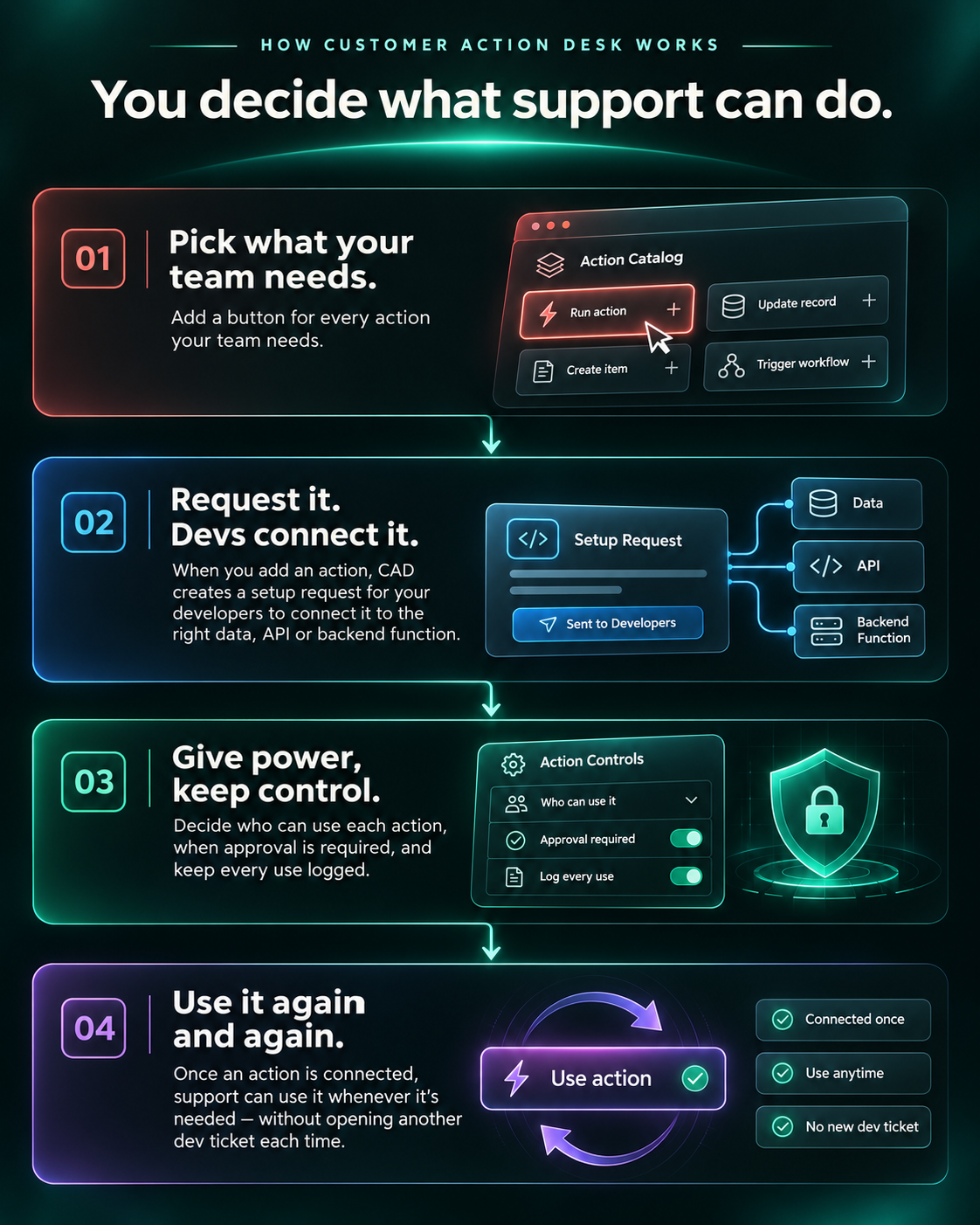
Customer Action Desk starts with deliberately selected customer data and operations, then turns them into a controlled workspace for support.
-
Pick what your team needs.
Add a button for every action your team needs.
-
Request it. Devs connect it.
When you add an action, CAD creates a setup request for your developers to connect it to the right data, API or backend function.
-
Give power, keep control.
Decide who can use each action, when approval is required, and keep every use logged.
-
Use it again and again.
Once an action is connected, support can use it whenever it's needed — without opening another dev ticket each time.
Interactive product concept
Try an example workspace
This example shows CAD after setup: the actions and customer data have already been connected by the company’s developers. Resolve a customer request using CAD.
Try Customer Action Desk
Explore the interactive example in a full-screen view.
Open interactive demoLaunch updates
Want to know when Customer Action Desk is ready?
This is an early validation page for a product concept. Leave your email and we will send an update when the first version is ready to share.
Product feedback
What would make Customer Action Desk useful for your team?
Is there something you'd need before you'd use it? Tell us what's missing.